
You just unboxed your new Electrolux washing machine. Now what? Whether you are upgrading from an older model or setting up laundry for the first time, knowing how to use Electrolux washing machine properly ensures cleaner clothes, longer appliance life, and lower energy bills. These front-loaders feature smart technology like LuxCare® plus wash systems, Pure Rinse™, and automatic water adjustment based on load size.
But with advanced features comes a learning curve. Where do you put detergent pods? Can you add clothes mid-cycle? How do you avoid error codes like UE or SUDS? This guide walks you through every step, from initial setup and cycle selection to maintenance and troubleshooting, so you get the most out of your machine.
Load Laundry Correctly in Your Electrolux
Distribute Clothes Evenly to Prevent Imbalance
Uneven loads trigger imbalance errors (like UE) and reduce cleaning performance. When loading, place larger items like towels or jeans around the drum edges, spacing them out evenly. Mix in smaller items like socks or undergarments to fill gaps between heavy fabrics.
Never overload your Electrolux. Clothes should not block the door seal or prevent the drum from turning freely. A good rule: you should be able to lay your hand flat on top of the load without resistance. Overloading strains the motor, increases wear, and leads to poor rinsing results.
Open and Close the Door Properly
Pull the front door handle gently toward you to open. Load your clothes, then close the door with a firm push until you hear a distinct click. The door locks automatically once the cycle starts and will not open during operation if water is inside or the drum is hot.
After unloading, leave the door slightly ajar to prevent mold and odors. Always wipe moisture from the rubber gasket after each use to maintain hygiene.
Add Detergent and Additives the Right Way
Choose the Correct Detergent Type
Electrolux front-load washers require High-Efficiency (HE) detergent only. Regular detergent creates too many suds, triggering the SUDS error and reducing cleaning efficiency. Use liquid, powder, or pods, but never mix types. For best results, use cold-water formulated HE detergent to match Eco cycles.
Fill the Detergent Drawer Correctly
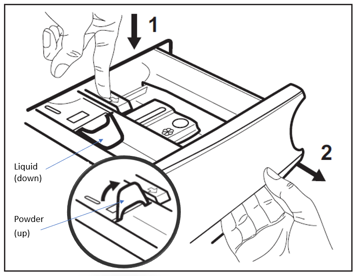
The drawer has multiple compartments, each serving a specific purpose:
- Main Wash (Middle): Add detergent here for the primary cycle. Use powder or liquid as directed on the packaging.
- Pre-Wash (Left): Only use if selecting the Pre-Wash option for heavily soiled clothes.
- Fabric Softener (Right): Fill to the max line. The machine dispenses it during the final rinse.
- Bleach (If Present): Use liquid bleach only. Never mix bleach and softener together.
Detergent pods go directly into the drum, not the drawer. Place them at the bottom before adding clothes for proper dissolution.
Clean the Detergent Drawer Monthly
Residue buildup blocks detergent flow and reduces cleaning performance. To clean the drawer:
- Press the release tab and pull the drawer out.
- Rinse all compartments under warm running water.
- Remove any stuck filters or inserts.
- Dry lightly and reinsert firmly until it clicks.
Perform this cleaning monthly or whenever you notice poor dispensing.
Select and Customize Wash Cycles
Power On and Choose Your Cycle
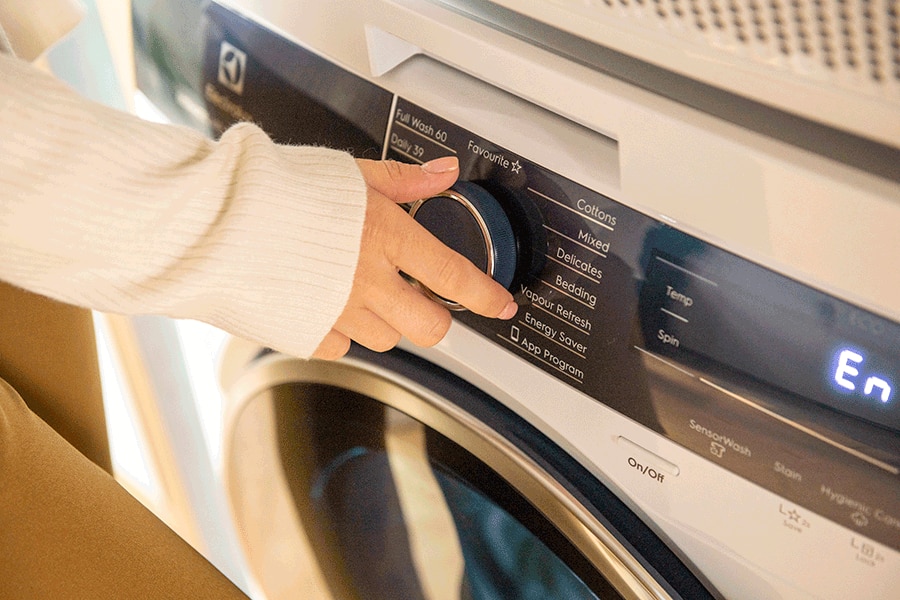
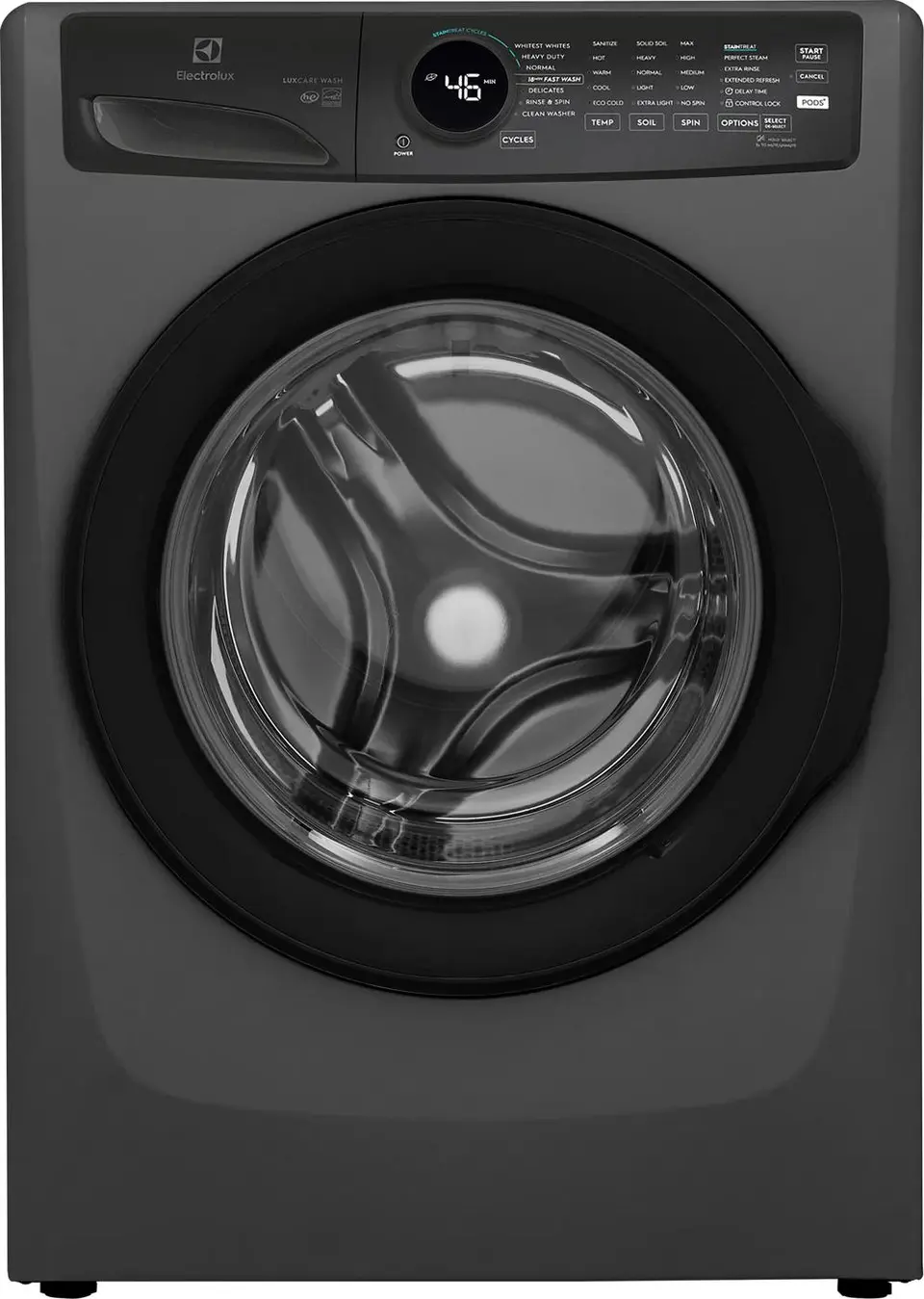
Press the Power button to activate the display. Turn the Cycle Selector knob or tap the screen to browse available options. The display shows the cycle name, default temperature, spin speed, and estimated time.
Available cycles vary by model but typically include:
- Normal: Everyday mixed loads
- Heavy Duty: Work clothes, muddy gear
- Delicates: Lingerie, sheer fabrics
- Quick Wash: Lightly worn clothes in 15-30 minutes
- Whites: High-temperature wash for brightness
- Wool/Silk: Gentle tumbling to prevent damage
- Sanitize: Kills bacteria using hot water
- Rinse & Spin: For post-stain treatment
- Clean Washer: Self-cleaning maintenance cycle
Adjust Temperature Settings for Best Results
Press the Temp button to change water heat:
- Hot (90°C/194°F): Best for whites, towels, sanitizing
- Warm (40-60°C): Good for moderate soil
- Cold (20°C): Prevents shrinking and color fade
- Eco (Cold): Saves energy; uses cold water only
Cold settings are ideal for darks and synthetics. Hot cycles extend wash time but improve hygiene significantly.
Set Soil Level for Better Cleaning
Press Soil to adjust wash intensity:
- Extra Light: Refresh nearly clean clothes
- Light: Slight odors or minimal dirt
- Normal: Standard daily wear
- Heavy: Grass, oil, or set-in stains
Higher soil levels increase agitation and wash duration. Use Heavy sparingly to reduce fabric wear.
Choose Spin Speed for Efficient Drying
Press Spin to set water extraction level:
- High (1400-1600 RPM): Towels, jeans, cottons—cuts drying time
- Medium (800-1000 RPM): Synthetics, blends
- Low (400-600 RPM): Delicates, knits
- No Spin: Hand-wash items that cannot be spun
Higher spin speeds extract more water, saving time and energy in the dryer.
Use Advanced Features and Options
Add Extra Rinse for Sensitive Skin
Press Extra Rinse to add a second rinse cycle. This removes all detergent residue, making it ideal for babies, allergy sufferers, or heavy detergent use. An indicator light blinks when this option is active. This feature extends cycle time by 10-15 minutes.
Schedule Your Wash with Delay Start
Use Delay Start to run the washer later, perfect for off-peak electricity rates or waking up to fresh laundry:
- Select your cycle and settings.
- Press Delay Start.
- Choose your preferred time (1-24 hours).
- Press Start/Pause.
The display counts down. Once complete, the machine beeps and unlocks.
Lock the Control Panel to Prevent Changes
Press and hold the Control Lock button (often a lock icon) for 3 seconds. The panel disables—no buttons will respond. To unlock, press and hold again until the light blinks off. Use this in homes with children or shared laundry spaces.
Activate Pure Rinse for Residue-Free Clothes
On select models, Pure Rinse ensures complete detergent removal. It uses optimized water flow and extra agitation during rinsing. Enable it via the Options menu. Works best with Extra Rinse for maximum cleanliness.
Start, Pause, and Cancel Cycles Properly
Begin the Wash Cycle
Once loaded and set:
- Press Start/Pause.
- The door locks automatically.
- The machine fills, agitates, rinses, and spins.
- The display shows remaining time and current phase (Washing, Rinsing, Spinning).
Wait 5-10 seconds after pressing Start. Some models delay to check balance before proceeding.
Add Forgotten Items Mid-Cycle
Forgot a sock? You can add clothes if the door unlock symbol appears, water level is low, and temperature is safe (below 50°C). To add items:
- Press Start/Pause.
- Wait for the unlock signal.
- Open the door, add items, close securely.
- Press Start/Pause to resume.
If the door stays locked, the cycle is too far along or the water is too hot.
Change Settings During an Active Cycle
Need to adjust temperature or spin? Pause the cycle first:
- Press Start/Pause.
- Wait for the unlock signal.
- Modify settings as needed.
- Press Start/Pause again.
Note: Once water is heated, some changes may not be allowed.
Cancel and Restart a Cycle
To cancel:
- Press Cancel or hold Stop/Clear for 3 seconds.
- The machine drains water.
- Door unlocks when safe.
- Remove laundry or reload with new settings.
Troubleshoot Common Electrolux Error Codes

Fix UE (Unbalanced Load) Error
The drum vibrates excessively or stops spinning. This happens when laundry is unevenly distributed. To fix it:
- Pause the cycle.
- Redistribute clothes evenly around the drum.
- Restart the cycle.
If the error persists, reduce load size or mix different fabric types together.
Resolve LE (Water Level Error)
The machine does not fill or fills slowly. Check the following:
- Water supply valves are fully open
- Inlet hoses are not kinked
- Filters in hose ends are clean
Clean inlet filters every 6 months to maintain proper water flow.
Fix F01 (Drain Error)
Water remains in the machine after the cycle ends. Check:
- Drain hose is not bent or clogged
- Pump filter is not blocked by coins, lint, or debris
To clean the pump filter, place a towel under the front access panel, unscrew the filter cap slowly (water will drain), remove debris, and reseal.
Stop SUDS Error
The machine detects excessive suds. This happens when using wrong detergent or too much of it. To fix:
- Switch to HE detergent immediately
- Reduce detergent dosage per load
- Run a Rinse & Spin cycle to remove excess suds
The machine may run extra rinses automatically to clear the suds.
Maintain Your Electrolux Washing Machine Monthly
Run the Clean Washer Cycle
Prevent mold, odors, and residue buildup with the built-in Clean Washer cycle:
- Empty the drum completely.
- Add 1 cup white vinegar or a washing machine cleaner directly into the drum.
- Select Clean Washer from Specialty Cycles.
- Press Start—the cycle runs approximately 60 minutes.
- Wipe the door seal and leave the door open after.
Run this cycle once a month for regular use, or every 3 months if the machine is used infrequently.
Wipe the Door Seal Weekly
Black mold grows in the rubber gasket. After each use:
- Wipe the seal with a dry cloth
- Check for trapped lint or water
- Clean with vinegar solution monthly
Keep the Detergent Drawer Clean
Remove and rinse the drawer every 4 weeks. Soak in warm water if caked with residue.
Ensure Proper Ventilation
Always leave the door slightly open after use. This allows airflow, drying the drum and preventing mildew. Avoid enclosing the washer in a tight cabinet without ventilation.
Frequently Asked Questions About Using Electrolux Washing Machines
What detergent should I use in my Electrolux washing machine?
Use only High-Efficiency (HE) detergent in your Electrolux front-load washer. Regular detergent creates too many suds and can trigger error codes. You can use liquid, powder, or pods, but never mix types.
Can I add clothes after the wash cycle has started?
Yes, you can add forgotten items if the door unlock symbol appears, water level is low, and temperature is below 50°C. Press Start/Pause, wait for the unlock signal, add your items, then press Start/Pause to resume.
How do I fix the UE error on my Electrolux washer?
The UE error means an unbalanced load. Pause the cycle, redistribute your clothes evenly around the drum, and restart. Reduce load size if the problem persists.
Where do detergent pods go in an Electrolux washing machine?
Detergent pods go directly into the drum, not the detergent drawer. Place them at the bottom before adding clothes for proper dissolution.
How often should I run the Clean Washer cycle?
Run the Clean Washer cycle once a month for regular use. If you use the machine infrequently, run it every 3 months to prevent mold and odor buildup.
Why does my Electrolux washer show the SUDS error?
The SUDS error appears when too much detergent is used or the wrong type (non-HE) is used. Switch to HE detergent, reduce the amount, and run a Rinse & Spin cycle to clear the excess suds.
Key Takeaways for Using Your Electrolux Washing Machine
Using your Electrolux washing machine correctly means cleaner clothes, fewer repairs, and lower utility bills. Start by loading laundry evenly and avoiding overloading. Use only HE detergent, and remember that pods go directly in the drum, not the drawer. Customize your wash cycles by adjusting temperature, soil level, and spin speed to match each load.
Perform monthly maintenance by running the Clean Washer cycle, wiping the door seal, and keeping the detergent drawer clean. Leave the door slightly open after each use to prevent mold. When error codes appear, address them promptly using the troubleshooting steps outlined above.
For model-specific details, always consult your Use and Care Guide or visit Electrolux support online. With these practices, you will master your washer and make laundry day easier than ever.



