
Is your Samsung washing machine frozen, unresponsive, or displaying a mysterious error code? You are not alone. A simple reset can fix software glitches, clear error messages, and restore normal operation without needing a technician. Unlike many appliances, Samsung washers do not have a dedicated reset button. Instead, resetting involves power cycling, button combinations, or digital menu commands depending on your model.
In this guide, you will learn the universal power cycle method, button sequences for unresponsive units, factory reset steps for Bespoke models, Wi-Fi reset procedures, and when to call a professional. These steps will help you get your washer back to cleaning laundry quickly.
Universal Power Cycle Reset

The power cycle is the first and most effective step for any Samsung washing machine issue. This method clears temporary software errors by cutting power and allowing internal capacitors to discharge completely.
Standard Power Cycle Steps
- Turn off the washer using the Power button.
- Unplug the unit from the wall outlet. If hardwired, turn off the circuit breaker.
- Wait 3 to 5 minutes to fully discharge the system. For stubborn issues, wait up to 10 minutes.
- Plug the washer back in or restore power at the breaker.
- Press Power to restart the machine.
- Run a quick rinse cycle to confirm functionality.
The control panel should reset after this process. If the display remains frozen, proceed to the enhanced hard reset below.
Enhanced Hard Reset for Stubborn Issues
Use this method when the standard power cycle fails to resolve the issue.
- Unplug the washer.
- Press and hold the Power button for 10 seconds while unplugged to drain residual charge.
- Leave the washer unplugged for 30 minutes.
- Plug back in and restart the machine.
This deep reset clears persistent memory glitches and is ideal to try before attempting other methods.
Button Combination Resets
When the control panel is frozen or error codes will not clear, specific button sequences can force a reset. These combinations vary by model, so start with the most common option.
Front-Load Reset: Power + Soil + Spin
This combination works on most Samsung front-load washers.
- Press and hold Power, Soil Level, and Spin buttons together.
- Hold for approximately 5 seconds.
- Release all buttons simultaneously.
The lights should flash or the display should clear. The machine may beep or restart automatically. If this fails, try the alternative reset below.
Alternative Reset: Start/Pause + Drain
Use this when the Power+Soil+Spin combination has no effect.
- Press and hold Start/Pause and Drain buttons simultaneously.
- Hold for 5 seconds.
- Release both buttons.
The display should flicker or reset. Test with a new cycle to confirm the reset worked.
Spin Cycle Reset for Mid-Cycle Freezes
This sequence fixes mid-cycle freezes or spin-related errors.
- Select any wash cycle.
- Press Start/Pause to begin the cycle.
- Immediately press Start/Pause again to pause.
- Press and hold Spin and Delay Start together for 3 seconds.
The washer should reset and display a confirmation message.
Factory Reset for Bespoke Models
Newer Bespoke front-load washers use a digital menu system. This factory reset erases all custom settings, Wi-Fi networks, and saved cycles. Use this before selling the washer or when experiencing persistent software issues.
Step-by-Step Factory Reset
- Ensure the drum is empty and the door is closed securely.
- Press Power to turn on the washer.
- Long-press the Menu icon (gear symbol) until you hear two distinct beeps.
- Use the dial to scroll to Factory Reset.
- Press the O (Select) button to confirm.
- Scroll to Continue or OK and press O again.
The washer will shut off automatically. Do not interrupt this process.
- Turn the machine back on manually.
After the reboot, you will need to select your language, reconnect to Wi-Fi via SmartThings, and reconfigure your preferred settings. Some models offer an alternative path: press and hold Additional Functions for 3 seconds, then navigate to Factory Reset.
Network and Wi-Fi Reset
If your washer will not connect to SmartThings or keeps dropping Wi-Fi, reset the network settings without affecting wash cycles. This is also necessary when changing routers or selling the washer.
How to Reset Wi-Fi
- Press and hold Smart Control for 3 to 5 seconds.
- Wait for AP (Access Point) to appear on the display.
- Press and hold Temp until OK shows on the display.
- The display returns to AP.
- Turn off the washer.
On the next startup, the washer will be in pairing mode. Open the SmartThings app and reconnect to restore Wi-Fi functionality.
Calibration Reset for Spin Issues
Top-load Samsung washers with Active Water Jet technology may fail to spin properly due to sensor misalignment. This calibration reset fixes UE (Unbalanced Load) and SD (Spin Drain) errors.
How to Run Calibration Mode
- Power on the washer.
- Press and hold Temp and Delay End simultaneously.
- Wait for CB (Calibration) to appear on the display.
- Immediately press Start.
If water is present, the pump drains first. The drum then spins to recalibrate balance and motor alignment. The full cycle takes 2 to 3 minutes. The CB code disappears and normal operation resumes when complete.
If UE or SD errors return after calibration, check for mechanical issues such as worn belts, blocked pump, or overloaded drum.
Fix Unresponsive Control Panel
A frozen screen or dead buttons is often a power glitch. Follow this sequence to restore functionality.
Step 1: Check Child Lock
Many users mistake locked controls for a broken panel. Look for a lock icon or Child Lock light on the display. Press and hold Child Lock for 3 to 5 seconds to disable it. On some models, hold Temp and Rinse simultaneously for 3 to 5 seconds instead.
Step 2: Perform Hard Reset
If the panel remains unresponsive after checking Child Lock:
- Unplug the washer.
- Wait 30 minutes.
- Plug back in and restart.
Step 3: Try Button Combination
If still unresponsive, use the Power + Soil + Spin combination holding all three buttons for 5 seconds. If none of these methods work, the control board may need professional service.
Clear Persistent Error Codes
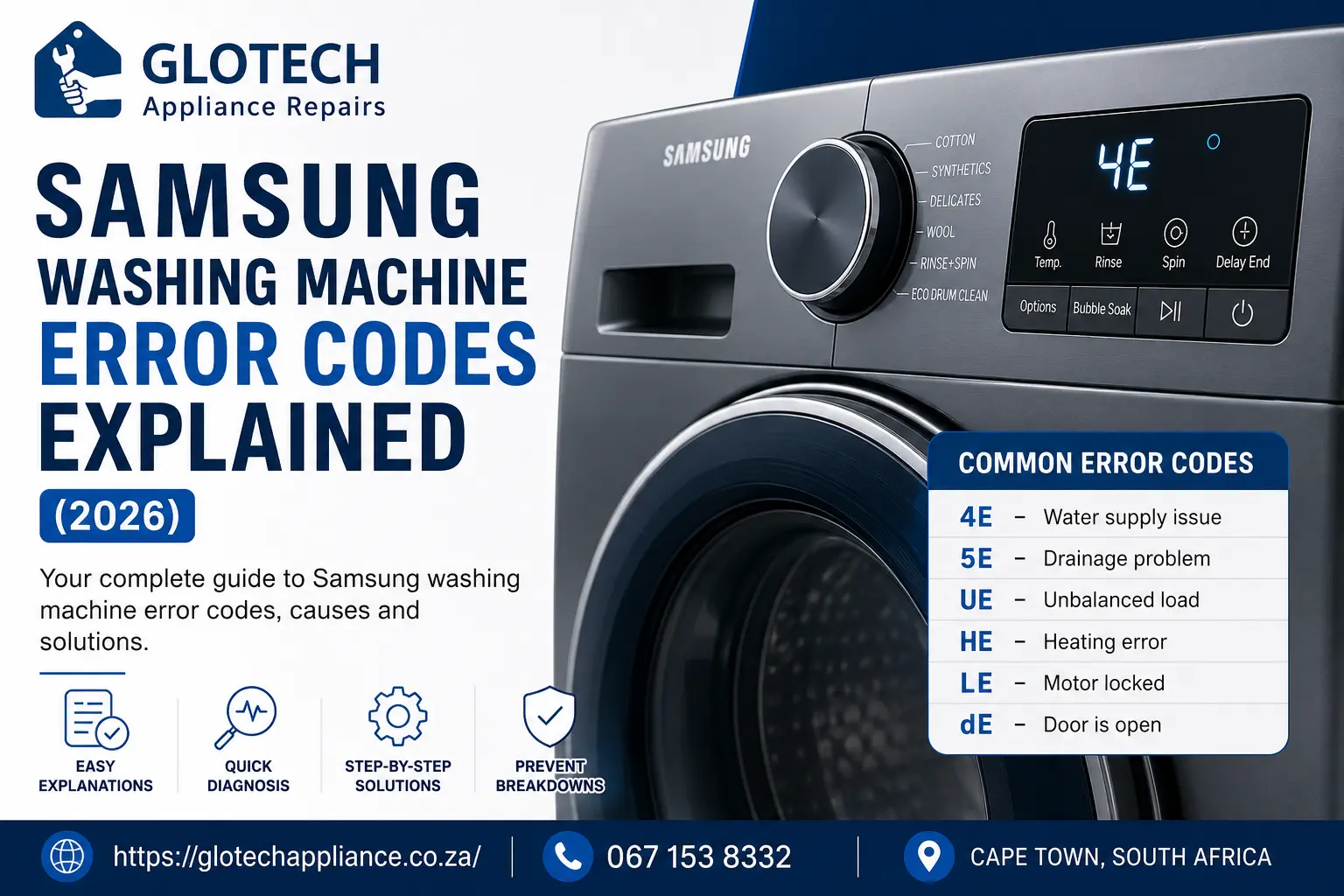
Resetting clears the error display but not the underlying cause. Always troubleshoot the root issue before resetting. Repeatedly resetting without fixing the problem wipes error logs, making professional diagnosis more difficult.
Common Error Codes and Fixes
| Code | Meaning | Fix Before Reset |
|---|---|---|
| 4E / 4C | No water intake | Check hoses, water pressure, hot water connection |
| UE | Unbalanced load | Redistribute laundry evenly in the drum |
| SE / 5E | Drain error | Clean pump filter, check drain hose for clogs |
| 5C | Drain system fault | Inspect filter and hose for blockages |
| ND | No drain | Clear blockage in pump or drain hose |
| dE | Door error | Ensure door is fully closed and latched |
| OE | Overflow | Check inlet valves for leaks or stuck open |
If the code returns immediately after reset, do not reset again. Call a professional technician to diagnose the hardware issue.
Post-Reset Setup and Reconfiguration

After a factory or hard reset, your washer needs reconfiguration for optimal performance.
Re-Enter Language and Settings
On startup, select your preferred language. You will be prompted to calibrate or skip. Always choose to calibrate for optimal spin performance.
Run Automatic Calibration
- Hold Start when prompted.
- The drum rotates clockwise and counterclockwise.
- This takes approximately 3 minutes.
- The cycle ends with Calibration Complete displayed.
To rerun calibration later, long-press Menu until you hear two beeps, select Calibration, and press O.
Reconnect to SmartThings
- Open the SmartThings app.
- Tap Add Device or find your washer.
- Follow the on-screen prompts to re-enter Wi-Fi credentials and pair the device.
Your washer will appear as a new device if you performed a factory reset.
When to Reset vs When to Repair
Knowing when to reset and when to call a professional saves time and money.
Reset when the display is frozen or unresponsive, an error code appears after a power surge, Wi-Fi connection drops repeatedly, the washer stops mid-cycle, or you are preparing to sell or move the unit.
Do not reset if the error code returns immediately after reset, you hear grinding, banging, or squealing sounds, there is water leakage under the unit, the drum will not spin at all even after calibration, or the machine will not power on after multiple reset attempts. These symptoms indicate hardware problems that resets cannot fix.
Prevent Future Reset Needs
Reduce the need for resets with simple maintenance practices.
Essential Maintenance Tips
Use only HE detergent in recommended amounts, typically 1 to 2 tablespoons per load. Regular detergent creates excess suds that trigger suds lock and error codes.
Clean the detergent drawer monthly by removing and rinsing it under warm water. Wipe the door seal on front-load models with vinegar to prevent mold buildup. Check the drain pump filter every 1 to 2 months for lint and debris.
Avoid overloading the washer, which causes UE errors and strains the motor. Leave a hand is width of space at the top of the drum.
Plug the washer directly into a wall outlet. Avoid extension cords or power strips, as voltage drops can freeze the control board.
Frequently Asked Questions About Resetting Samsung Washing Machines
How do I reset my Samsung washing machine without a reset button?
Samsung washers do not have a dedicated reset button. Instead, unplug the washer for 3 to 5 minutes, then plug it back in and press Power. This power cycle method clears most software glitches and is the first troubleshooting step for frozen displays and error codes.
Why is my Samsung washer not responding to button presses?
The control panel may be frozen due to a power glitch, or Child Lock may be enabled. Check for a lock icon or Child Lock light. If present, hold Child Lock for 3 to 5 seconds to disable it. If no lock is displayed, perform a 30-minute hard reset by unplugging and holding Power before plugging back in.
Will resetting my Samsung washer delete my settings?
A standard power cycle does not erase user preferences. However, a factory reset on Bespoke models erases all custom settings, Wi-Fi credentials, and saved cycles. After a factory reset, you must reconfigure language, Wi-Fi, and preferred settings.
What does the CB code mean on my Samsung washer?
CB stands for Calibration mode. This appears when running the calibration reset on top-load Active Water Jet models. The drum will spin to recalibrate balance and motor alignment. The code disappears when calibration completes successfully.
How do I fix error code 4E or 4C on my Samsung washer?
This code indicates a water supply issue. Check that the inlet hoses are not kinked and water pressure is adequate. Ensure the machine is connected to both hot and cold water lines if using warm wash. Clean the water inlet filters and verify the hoses are properly connected.
When should I stop resetting and call a professional?
Stop resetting and call a pro if the error code returns immediately after reset, you hear mechanical noises like grinding or banging, there is water pooling under the unit, the drum will not spin at all, or the washer will not power on despite multiple reset attempts.
Key Takeaways for Resetting Your Samsung Washing Machine
Resetting your Samsung washing machine is a fast, free fix for most software hiccups. Start with a simple 5-minute power cycle by unplugging the machine and waiting before restarting. If that does not work, try button combinations like Power+Soil+Spin for front-load models or the 30-minute enhanced hard reset for stubborn freezes.
Use factory reset only on Bespoke models or before selling the washer. For spin issues on top-load models, run calibration mode by pressing Temp+Delay End until CB appears. Always fix the root cause before resetting error codes, as resetting without addressing the underlying problem leads to the code returning immediately.
With these steps, you will save time, avoid unnecessary service calls, and keep your Samsung washer running smoothly for years.



