
Is your GE washing machine unresponsive, stuck on a cycle, or flashing error codes? You are not alone. A simple reset can fix frozen controls, sensor glitches, and communication errors without needing a technician. The good news: resetting a GE washing machine does not require tools or technical expertise. Unlike some appliances, GE washers do not have a dedicated Reset button. Instead, you will use one of several proven methods to reboot the control board, clear temporary faults, and restore normal operation. In most cases, this takes just minutes and resolves the issue in about 80% of common malfunction scenarios.
This guide covers every reset method for both top-load and front-load GE models, including hard power cycles, soft resets with button sequences, motor resets for legacy units, and how to access diagnostic mode to read and clear error codes. Whether your washer won’t start, won’t spin, or is stuck on PF after a power outage, you will find the exact steps here. Let us get your machine running again.
Perform a Power Cycle Reset

The power cycle, also known as a hard reset, is the most effective first step for any GE washer issue. It cuts all power to the control board, allowing capacitors to fully discharge and the system to reboot cleanly.
Unplug for 60 Seconds Minimum
Disconnect the washer from power by unplugging it directly from the wall outlet. If your unit is hardwired or the plug is not accessible, turn off the circuit breaker for the laundry room. Wait at least 60 seconds. This is critical. Internal capacitors store energy and must fully drain to reset the electronics. For stubborn glitches, extend the wait to 2 to 5 minutes.
Restore Power and Test Operation
Plug the washer back in or flip the breaker back on. You may hear a beep or see lights flash. This means the control board is rebooting. Close the lid or door firmly to ensure the sensor registers. Then select a short cycle like Rinse and Spin and press Start. Run the test empty to confirm the machine fills, agitates, drains, and spins properly before adding laundry.
Fix a Failed Power Reset
If the washer still does not respond, try these troubleshooting steps:
• Test the outlet with another device to confirm it is live
• Check for a tripped GFCI outlet nearby, which is common in laundry rooms
• Verify you waited the full minute. Use a timer if needed
• Ensure the machine is not in Control Lock mode. Disable it via the panel first
Use Control Panel Soft Resets
If the power cycle did not work, try a soft reset using button combinations. These vary by model type. Top-load and front-load units require different sequences.
Top-Load: Hold Start/Pause Button
Turn off the washer. Press and hold the Start/Pause button for 5 seconds. Release when the display resets or the machine beeps. This clears minor software freezes and is effective for many newer models.
Top-Load: Press Start and Cancel Together
Press and hold both the Start and Cancel buttons simultaneously for 10 seconds. This forces a system reboot and often clears stuck cycles or unresponsive controls.
Top-Load: Dial and Start Sequence
For models with a cycle dial, follow these steps:
- Turn the washer off
- Press and hold the Start button
- While holding Start, turn the dial one click right, then one click left, then one more click right
- Hold for about 5 seconds total
- Release and wait 10 seconds before restarting
Look for flashing lights or a three-beep signal. This confirms the reset was initiated.
Front-Load: Signal and Delay Start Combo
Front-load GE washers use a different method:
- Press and hold both the Signal button and the Delay Start button for 3 seconds
- While holding them, rotate the cycle dial through three positions clockwise
- Release all buttons
- Turn the power off, wait 30 seconds, then turn it back on
This clears error codes and resets communication between the control panel and main board.
Reset Hydrowave Motor for Legacy Models
If you own a GE top-load washer made before 2015 with a direct-drive Hydrowave motor, and it fills with water but will not agitate or spin, perform this specific motor reset.
Confirm You Have a Hydrowave Model
These units lack a traditional transmission and use a direct-drive motor. If your washer fills but the drum or agitator does not move, this reset applies.
Execute the 6-Lid Reset
Follow these steps exactly:
- Unplug the washer for 1 minute
- Plug it back in
- Immediately lift and close the lid 6 times within 12 seconds
- Each lift must be at least 2 inches to break the magnetic switch
- Fully close the lid each time
If done correctly, the machine will accept a new cycle. Failure means you missed the timing. Restart from step one. After resetting, run a small load to confirm agitation and spinning return.
Access Diagnostic Service Mode
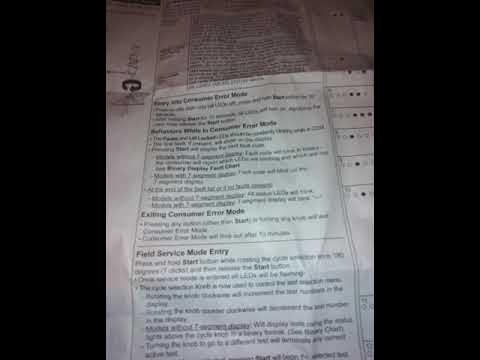
For recurring issues, enter Service Mode to read error codes, clear memory, and test components. This is available on most GE top-load models from the last decade.
Enter Service Mode
Make sure all lights are off. Press and hold the Start button. While holding Start, rotate the control dial 7 full turns. Release Start. The status LEDs will blink. This confirms entry. Some models beep.
Read Error Codes Using Binary LEDs
Service Mode displays codes via six status LEDs using a binary system. Light On equals 1, Light Off equals 0. Values are 1, 2, 4, 8, 16, and 32. Add illuminated lights to get the code.
Example: Lights for 16, 4, and 2 on equals Code 22.
Example: Lights for 16, 4, 2, and 1 on equals Code 23.
Common GE Washer Error Codes
| Code | Meaning | Fix |
|---|---|---|
| 19 | UI Timeout | Usually self-clears. Monitor for recurrence. |
| 23 or LE | Lid Lock Error | Check lid alignment, lock mechanism, wiring. |
| 26 or 31 or UE | Unbalanced Load | Redistribute clothes. Check suspension rods. |
| 27 | Water Accessibility | Check hoses, valves, pressure switch hose. |
| E22 or E23 | Drain Pump Error | Inspect pump for clogs or debris. |
| E31 or E38 | Pressure Sensor Fault | Check air tube for leaks or blockages. |
| E45 | Communication Error | Reset may help. Recurring issue suggests board failure. |
| E54 | Motor/Inverter Failure | Hardware issue. Reset unlikely to fix. |
| PF | Power Failure | Reset clears it. Frequent PF needs surge protection. |
| LOC or CL | Control Lock Active | Disable via panel. Reset will not bypass. |
Clear All Fault Codes
After fixing the underlying issue, clear stored codes:
- In Service Mode, press Start repeatedly to scroll to Code 16, which is Clear All Faults
- Wait for display to show 16 then 00
- Or, turn dial until only the second LED is on, then hold Start for 2 to 3 seconds
This erases the error history and prevents false triggers.
Exit Service Mode
Turn the dial one full turn clockwise. Hold Start for 3 seconds. The machine will restart in normal mode.
Fix a Stuck or Frozen Cycle
If your washer is looping, will not advance, or will not cancel, use this manual override sequence. It is effective for standard top-load GE models.
Navigate to 12 O Clock Position
Turn the cycle knob to the 12 o’clock position.
Press Start and Turn to 6 O Clock
Press and hold Start, then turn the knob clockwise to 6 o’clock. Release Start.
Rotate 16 Clicks Forward
Turn the knob 16 clicks clockwise. Press Start.
Rotate 16 Clicks Back
Turn the knob 16 clicks counter-clockwise. Press and hold Start.
Return to 12 O Clock
While holding Start, turn the knob back to 12 o’clock. Release Start.
This forces a complete logic reset. The machine should now respond to new cycle selections.
Know When to Call a Pro
A reset fixes most electronic glitches, but not mechanical failures. Recognize the signs that professional help is needed.
Reset Will Not Fix These Issues
• Clogged drain pump or kinked hose. These cause E22/E23 codes
• Burnt motor or broken belt. No spin even after reset
• Faulty lid lock. Persistent LE or 23 codes
• Water supply problems. IE code will not clear if valves are closed
• Control Lock active. LOC/CL must be disabled manually first
Red Flags for Service
Seek a technician if you notice:
• Burning smell or scorched wiring
• Grinding or knocking during spin
• Water pooling under the machine
• Error codes return immediately after multiple resets
• Complete unresponsiveness even after power cycle
These often indicate hardware damage beyond a software fix.
Prevent Future Reset Needs
Avoid recurring issues with simple maintenance habits.
Load Clothes Evenly
Overloading or uneven distribution triggers UE errors. Distribute bulky items like towels or jeans around the drum. Do not pile them on one side.
Use HE Detergent Only
For HE models, non-HE detergent creates excess suds, tricking sensors into thinking there is too much water. This can trigger overflow codes or rinse cycle repeats.
Install a Surge Protector
Power surges can corrupt control board memory. A laundry-rated surge protector stabilizes voltage and prevents PF errors after outages.
Clean Pump and Hoses Monthly
Check the drain pump filter and inlet hoses every 30 days. Remove coins, hair, or debris to prevent E22/E23 drain errors.
Let Cycles Finish Naturally
Avoid opening the lid mid-cycle or turning off the breaker during operation. This can cause logic lockups or stuck cycles.
Key Takeaways for Resetting Your GE Washing Machine

Resetting a GE washing machine is fast, free, and effective for most electronic glitches. Start with a 60-second power cycle, then try model-specific button resets or diagnostic mode for stubborn issues. Use the 6-lid lift method for older Hydrowave models. While resets clear temporary faults, recurring problems point to hardware failure. Do not keep resetting a broken machine. With proper care and timely resets, your GE washer can run smoothly for years.
Frequently Asked Questions About Resetting a GE Washing Machine
How do I reset my GE washing machine without unplugging it?
You can try a soft reset using button combinations. For top-load models, press and hold Start/Pause for 5 seconds, or press Start and Cancel together for 10 seconds. For front-load models, hold Signal and Delay Start buttons for 3 seconds while rotating the dial. If these do not work, a power cycle is still the most reliable method.
Why does my GE washer keep needing to be reset?
Frequent reset needs indicate underlying issues. Common causes include unstable power supply, recurring error codes from sensor glitches, or hardware problems like a faulty lid lock or drain pump. If resets become a weekly occurrence, inspect the machine for mechanical issues or consult a technician.
Will resetting my GE washer delete my settings?
No. A reset clears temporary fault codes and reboots the control board, but it does not erase your saved preferences or custom settings. Your washer will return to its default state but remember your typical cycle selections after a few uses.
What does PF mean on my GE washer?
PF stands for Power Failure. This code appears when the washer lost power during a cycle, either from a outage or someone unplugging the machine. Simply perform a power cycle reset to clear this code. If PF appears frequently, consider using a surge protector on the laundry circuit.
Can I reset my GE washer while it is running a cycle?
You should not interrupt a running cycle to reset, as this can cause logic lockups. Instead, try to cancel the cycle first using the Start/Pause button. If the machine is completely frozen, a hard power reset is your only option. Unplug the washer or turn off the breaker, wait 60 seconds, and restore power.
How do I clear error codes on a GE washer?
Enter Service Mode by holding Start while rotating the dial 7 full turns. Once in Service Mode, press Start repeatedly to find Code 16, which clears all faults. The display will show 16 then 00. Turn the dial one full turn and hold Start for 3 seconds to exit.



