
Is your Hotpoint washing machine sitting idle because you’re unsure how to use it properly? You’re not alone. Many users struggle with the controls, cycle options, and detergent placement, especially when model-specific quirks aren’t clearly explained. But mastering your Hotpoint washer does not have to be complicated. Whether you own a top-load HTW240ASKWS or a modern front-loader, this guide breaks down exactly how to operate a Hotpoint washing machine, from loading clothes correctly to selecting the right cycle and avoiding common errors.
By the end of this guide, you will know how to load, start, customize, and maintain your Hotpoint washer for peak performance. We will cover model-specific instructions, decode control panel functions, explain error codes, and share pro tips to extend your machine’s life, all based on official operational protocols.
Load Clothes Correctly for Optimal Cleaning
Sort Laundry by Color and Fabric Type
Before placing anything in the drum, sort your laundry into three groups: whites, darks, and colors. This prevents dye transfer and keeps whites bright. Next, separate delicates like lingerie or silk from heavy fabrics like towels or jeans. Mixing them can damage delicate items or reduce cleaning efficiency.
Avoid Overloading the Drum
Do not pack the drum too tightly. Clothes need room to move for proper agitation and water flow. For top-load models with an agitator, distribute garments evenly around the central post. Leave about 4 to 6 inches of space from the top of the drum. Overloading causes imbalance, leading to vibration and poor cleaning results.
Balance Heavy and Light Items
Mix heavy items like towels with lighter ones such as t-shirts to help balance the load during the spin cycle. An unbalanced load can cause excessive shaking, noise, and even trigger error codes. This simple step prevents mechanical stress on your machine.
Add Detergent and Additives Properly

Detergent Placement by Model Type
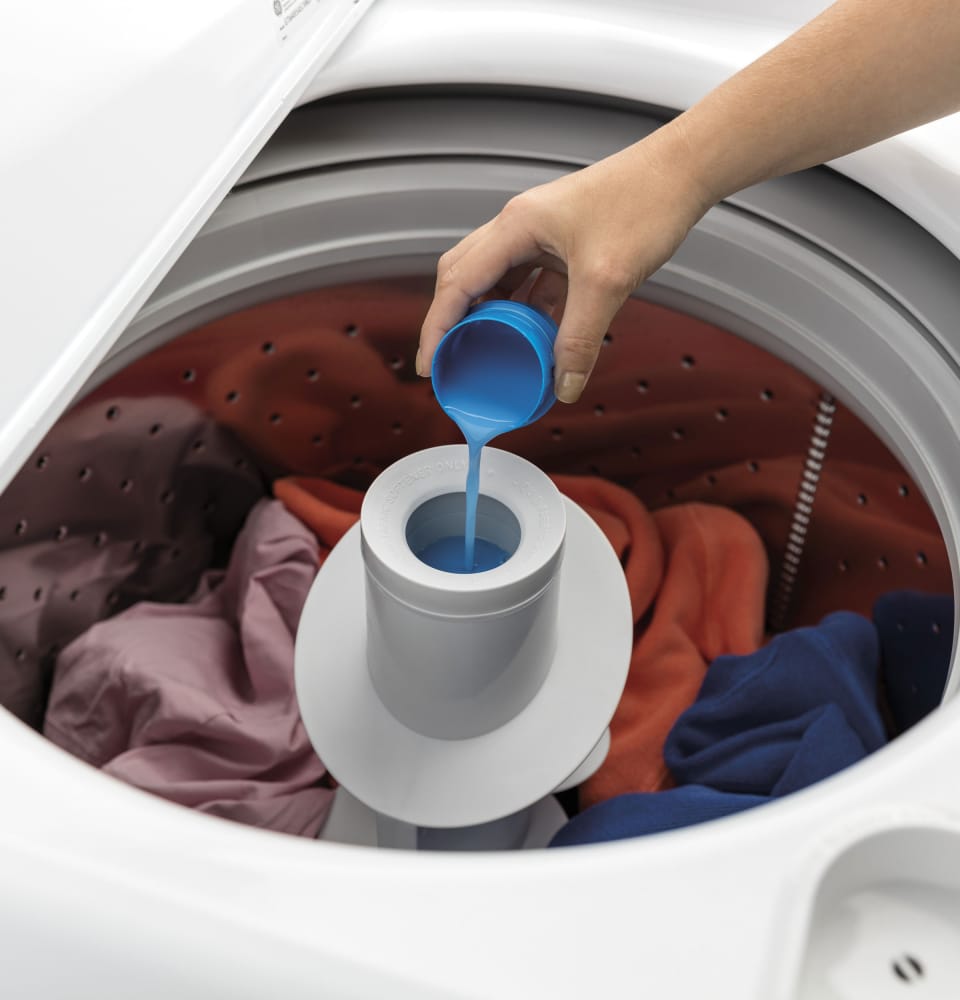
Detergent must go in the right spot, and it varies by model. For the HTW240ASKWS top-load model, pour liquid or powder detergent directly on top of the clothes in the drum. Do not use the agitator base or lid dispenser for regular detergent. For front-load and other top-load models, use the detergent drawer, typically the largest compartment labeled with a detergent symbol.
Use Auto-Dose Features Correctly
If your Hotpoint has Auto-Dose, it automatically measures and dispenses detergent. Do not add extra detergent to the drum when using this feature. Only refill the built-in reservoir as needed to maintain proper function.
Add Bleach and Fabric Softener Safely
For bleach use on the HTW240ASKWS, pour liquid chlorine bleach only into the agitator base compartment. Never pour bleach directly on clothes. For fabric softener, place it in the lid dispenser where it releases automatically during the rinse cycle. Always measure detergent based on load size and water hardness.
Set Water Level and Fill Mode
Choose Manual Load Size Settings
The HTW240ASKWS offers four manual settings: Small, Medium, Large, and Super. Select based on how full the drum is. Smaller loads use less water and energy, saving you money on utility bills.
Enable Precise Fill for Automatic Water Adjustment
Turn on Precise Fill to let the machine automatically weigh the load and adjust water levels. This feature saves up to 30 percent more water than manual settings and is ideal for mixed or irregular loads. If your model lacks Precise Fill, always match the water level to the load size to avoid wasted resources.
Select the Right Wash Temperature
:max_bytes(150000):strip_icc()/laundry-and-water-temperature-1900646-FINAL-5baa47d946e0fb0025b1cda9.png)
Use Direct Temperature Control
Unlike models with preset cycles, the HTW240ASKWS allows independent temperature selection via the control panel. Choose based on fabric type: cold water at 30 degrees Celsius works best for delicates, darks, and hand-wash items. Warm water at 40 degrees Celsius suits synthetics, colored clothes, and jeans. Hot water at 60 to 90 degrees Celsius is best for whites, heavily soiled cottons, and towels.
Why Temperature Selection Matters
High heat sanitizes but can shrink synthetics or fade colors. Always check garment labels before selecting your temperature setting. This simple step prevents damage to your clothing.
Pick the Right Wash Cycle
Rotate the Program Selector Dial
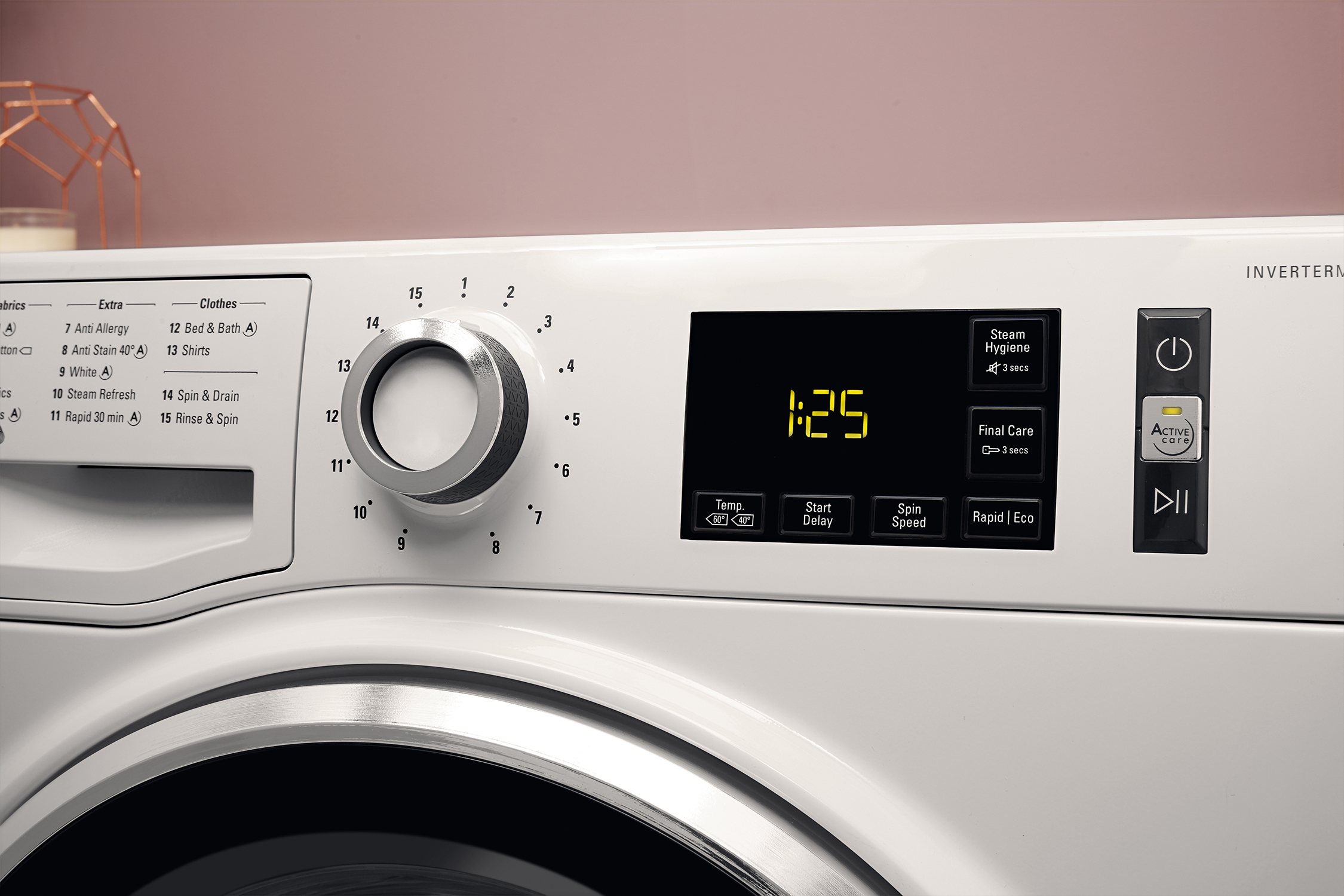
Turn the Program Selector Dial to choose from up to 14 cycles available on your Hotpoint. Common options include Cottons for heavily soiled towels and sheets using up to 90 degrees Celsius with high spin. Synthetics works for polyester and nylon using up to 60 degrees Celsius with medium-high spin. Delicates uses 30 degrees Celsius with low spin for silk and lace. Wool uses 30 degrees Celsius with low spin to prevent felting. Permanent Press prevents wrinkling in blends using 40 degrees Celsius with medium spin. Quick Wash takes 15 to 30 minutes for lightly soiled clothes at 40 degrees Celsius. Jeans uses 40 degrees Celsius with medium spin for denim. Baby Clothes combines gentle wash with extra rinse at 40 degrees Celsius. Rinse and Spin performs only a rinse and extraction with no wash agitation.
Match Cycle to Load Type
Using Cottons for delicates may cause damage. Using Delicates for muddy towels will not clean effectively. Always match the cycle to fabric care needs for the best results.
Customize Your Wash with Feature Buttons

Activate Eco Mode for Energy Savings
Press Eco Mode for lightly soiled loads. It reduces water and energy use by up to 40 percent. This feature is ideal for everyday wear like t-shirts and socks.
Add Extra Rinse for Sensitive Skin
Press Extra Rinse if someone in your home has sensitive skin or if you use heavy detergent. It adds a second rinse to remove soap residue completely.
Use Quick Wash for Speed
Select Quick Wash when you need one or two items cleaned fast. This 15 to 30 minute cycle works best for cottons and synthetics with light soil.
Delay Start for Convenience
Press Delay Start to schedule the wash up to 24 hours in advance. This feature is great for running cycles during off-peak electricity hours.
Enable Child Lock for Safety
Prevent accidental changes by pressing and holding the Start/Pause button for 3 seconds. A lock icon appears on the display when active.
Start and Monitor the Cycle
Close Lid and Press Start
Ensure the lid or door is fully closed and latched. Press Start/Pause to begin. The machine will fill, agitate, rinse, and spin automatically through all phases.
Watch Indicator Lights During Operation
During operation, the Lid Locked light stays on when the lid is secure. The Fill light illuminates during water intake. The Deep Rinse light flashes if extra rinse is active. If the machine pauses unexpectedly, check for error codes.
Pause to Add Forgotten Items
Press Start/Pause mid-cycle to unlock the lid on most models. Add missing clothes, then press Start again. Only do this during the fill or wash phase, never during spin.
Troubleshoot Common Issues
Machine Will Not Start
Ensure power is connected. Confirm the lid is fully closed. Check if Child Lock is active by holding Start/Pause for 3 seconds to disable it.
No Water Coming In
Verify water supply valves are open. Inspect hoses for kinks or blockages. Clean inlet filters located at hose connections.
Water Not Draining
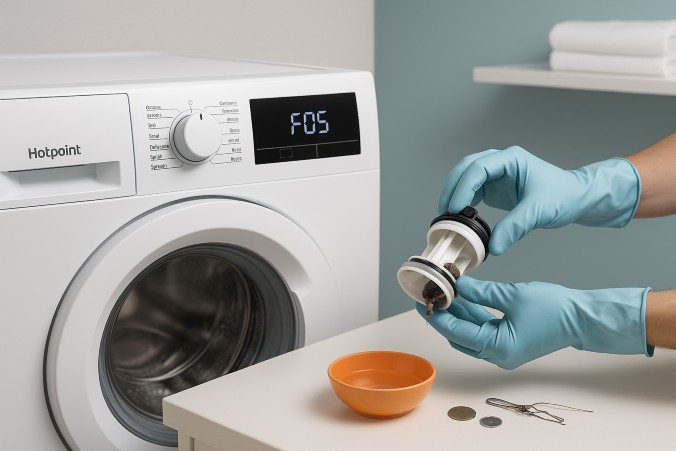
Clean the drain pump filter every 3 to 6 months. Check for clogs in the drain hose. Ensure the hose is not kinked or installed too low.
Excessive Vibration or Noise
Level the machine using adjustable feet. Avoid unbalanced loads. Check for foreign objects like coins in the drum or pump.
Poor Cleaning Results
Use the correct cycle and temperature. Do not overload the machine. Measure detergent properly, as too little will not clean and too much leaves residue.
Understand Error Codes and Diagnostic Mode
Access Diagnostic Mode
When errors occur, enter Diagnostic Mode to read fault codes. Press and hold Start/Pause. Turn the dial clockwise 7 clicks. Release Start/Pause. All lights flash to confirm diagnostic mode is active.
Key Error Codes and Fixes
Error Code 01 indicates door lock failure. Check for obstructions and test the lock switch. Error Code 02 means water inlet fault. Clean inlet filters and test the valve. Error Code 03 shows drain pump fault. Clear blockages and test the motor. Error Code 04 indicates water level sensor issues. Check the pressure hose and clean the sensor. Error Code 07 means excessive vibration. Rebalance the load and level the machine. Error Code 08 shows heater fault. Test the element and check the fuse. Error Code 10 indicates lid switch fault. Test continuity and replace if faulty. Error Code 13 means drain timeout. Clean the pump filter and test drain function. Error Code 14 shows fill timeout. Check water pressure and test the inlet valve. Error Code 20 indicates an internal error. Reset the machine, and if persistent, contact support.
After fixing an issue, reset the machine by unplugging it for 2 minutes to clear error memory.
Maintain Your Washer Monthly
Clean Detergent Drawer
Remove the drawer and rinse under warm water monthly. Soak in vinegar if residue builds up. This prevents mold and clogs.
Wipe Door Seal on Front Loaders
For front-loading models, wipe the rubber gasket with a dry cloth after each use. This prevents mold and odors from developing.
Run a Maintenance Cycle
Every 1 to 2 months, run a 90 degree Celsius Cotton cycle with 1 cup of white vinegar or a washing machine cleaner tablet. This removes soap scum, kills bacteria, and clears internal pipes.
Clean the Pump Filter
Place a towel under the filter access, usually at the front bottom. Unscrew the cap slowly as water will drain. Remove lint, coins, and debris. Reinstall securely. Do this every 3 to 6 months.
Save Energy and Water While Washing
Wash in Cold Water When Possible
Use cold water cycles whenever possible. Modern detergents work well in cold water and save up to 90 percent of energy used for heating.
Use Eco Mode Regularly
Engage Eco Mode for lightly soiled loads. It adjusts water, time, and temperature for maximum efficiency.
Wait for Full Loads
Run the machine only when you have a full but not overloaded load. Fewer cycles mean less energy and water used overall.
Choose Biodegradable Detergent
Reduce environmental impact by using eco-friendly, biodegradable detergents. Measure precisely to avoid runoff pollution.
Key Takeaways for Operating Your Hotpoint Washing Machine
Operating a Hotpoint washing machine becomes effortless once you understand its layout and features. The key is correct loading with proper sorting and avoiding overloading, proper detergent use in the correct compartments for your specific model, smart cycle selection matching fabric types to appropriate settings, and routine maintenance including monthly cleaning and periodic deep cycles.
Whether you are using the HTW240ASKWS or another model, following these guidelines will get you cleaner clothes, help you avoid breakdowns, and extend your washer’s life for years. Take a moment to familiarize yourself with your specific model’s control panel layout, and you will laundry with confidence.
Frequently Asked Questions About Hotpoint Washing Machines
How do I reset my Hotpoint washing machine after an error code?
Unplug the machine from the power source for 2 minutes. Plug it back in and check if the error persists. If it does, consult the error code table and perform the recommended fixes.
Can I use powder detergent in my Hotpoint front-loader?
Yes, powder detergent works in Hotpoint front-loaders. Place it in the detergent drawer, not directly in the drum, for best results.
What does the Eco Mode button do on my Hotpoint washer?
Eco Mode activates an energy-saving algorithm that reduces water volume and electricity usage. It is best suited for lightly soiled loads.
How often should I clean the drain pump filter?
Clean the drain pump filter every 3 to 6 months to remove lint, coins, and debris. Do this more frequently if you notice drainage issues.
Why is my Hotpoint washing machine vibrating excessively?
Excessive vibration usually indicates an unbalanced load or an unlevel machine. Redistribute clothes evenly and use the adjustable feet to level the unit.
What temperature should I use for baby clothes on my Hotpoint?
Use the Baby Clothes cycle at 40 degrees Celsius with Extra Rinse enabled. This combination removes allergens and detergent residue effectively.



