
You’re halfway through a wash cycle when you realize you left a favorite shirt in the dryer, or worse, your machine starts vibrating violently across the laundry room floor. These moments demand knowing how to stop washing machine operations safely and quickly to prevent water damage, protect your clothes, and avoid expensive repairs. This guide covers every scenario from routine pauses to emergency shutdowns, tailored for both modern digital models and older mechanical machines.
Whether you own a front-loader with electronic locks or a traditional top-loader, understanding the correct stopping procedure protects your appliance from mechanical strain and electrical hazards. You’ll learn how to pause properly, drain water manually, unlock stuck doors, and restart safely without risking injury or damage.
Pause the Cycle Using Built-In Controls
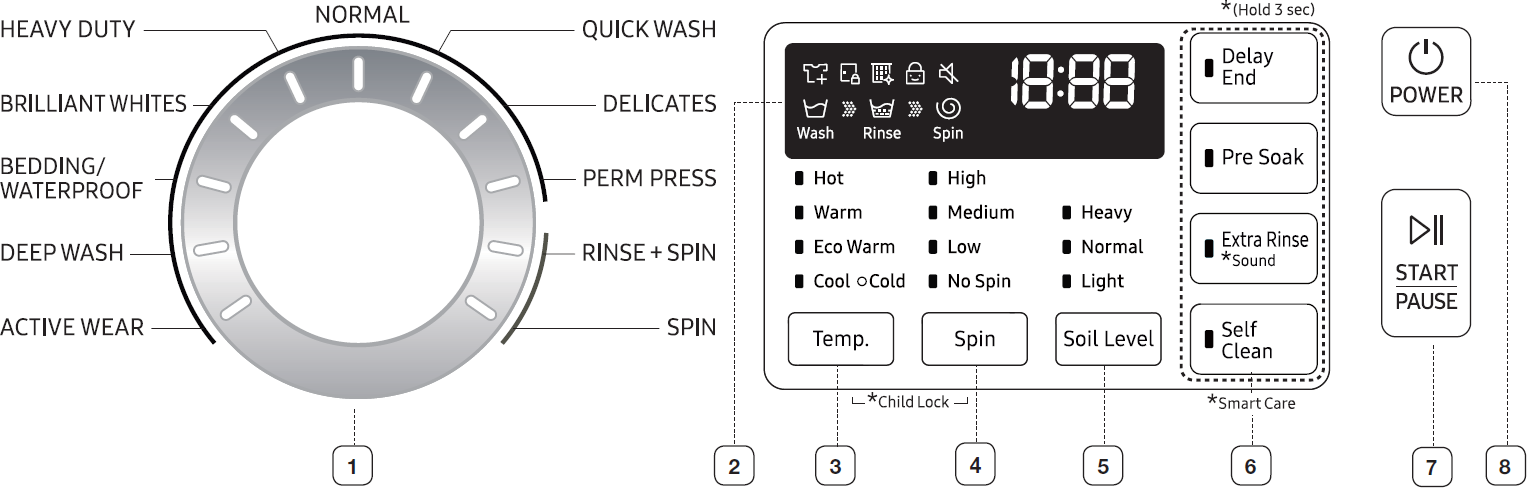
The pause function is the safest first step for interrupting any digital washing machine. This method allows the appliance to complete its safety sequences before granting access.
Locate and Press the Pause Button
Find the “Pause” or “Start/Stop” button on your control panel and press it firmly. The machine halts immediately whether it’s agitating, spinning, or filling. On front-loading models, the door remains locked for your safety. Do not try to force it open.
Wait for Automatic Drain and Unlock
After pausing, many machines automatically begin draining water if the level is too high. This draining process typically takes two to three minutes. The door lock disengages only after water drops below the door seal. Look for a light or display message indicating “Door Unlock” or “Safe to Open” before attempting to access the drum.
Top-Loader Lid Differences
Traditional top-loading machines allow you to lift the lid to stop agitation immediately. However, newer digital top-loaders may require pressing “Pause” first to prevent water from sloshing out. Check your model’s behavior during initial use to avoid accidental spills.
Pro Tip: If you need to add a forgotten item, pause early in the fill or wash phase. Pausing during spin requires a full drain cycle before access, adding several minutes to your wait time.
Stop Non-Digital Washing Machines
Older machines with mechanical dials lack automatic safety locks and digital prompts. Stopping these requires manual cycle adjustments to drain and unlock safely.
Rotate to Rinse and Spin
After pressing Start/Pause, turn the program dial to “Rinse and Spin.” This instructs the machine to drain existing water and complete a final spin. Avoid selecting “Drain Only” unless your model has that option, as many older machines don’t include it.
Set Spin Speed to Zero for Delicates
If you’re retrieving delicate fabrics like silk, lace, or underwire bras, set the spin speed to zero RPM before starting the rinse cycle. This prevents high-speed extraction that could damage these items.
Wait for Cycle Completion
Let the modified cycle finish completely. Once finished, the motor stops and the lid or door can be opened safely. No emergency release is needed because this method uses the machine’s natural drainage sequence.
Common Mistake: Turning the dial while the machine is actively agitating can damage the timer motor. Always pause first before making any dial adjustments.
Drain Water Manually in Emergencies

When the machine won’t respond to controls or you need immediate access, manual draining becomes necessary. This situation commonly occurs during power outages or electronic failures.
Use the Emergency Drain Hose
Some models feature a small hose behind a bottom-front access panel. This is often the fastest way to remove water from the drum.
Place a shallow tray beneath the panel to catch water flow. Open the panel and pull out the capped drain hose. Position the hose end into the tray and remove the cap. Allow water to flow out by gravity. Once drained, reinsert the hose and cap it securely before closing the panel.
Visual Cue: Water may be warm or contain soap residue. Wear gloves and have towels ready to protect your hands and floors.
Clear Water via Pump Filter
If no drain hose exists, use the pump filter, which is usually a large twist-knob located at the front base of the machine.
Put a wide tray or multiple towels underneath the filter area. Slowly turn the filter counterclockwise to start the water flow. Water will initially trickle out. Unscrew fully once the flow slows and let remaining water drain into the tray. Remove any lint, coins, or debris caught in the filter. Reinstall the filter tightly by turning it clockwise to prevent leaks when you restart the machine.
Warning: Never leave the filter unattended while open. A full drum can empty rapidly and cause water damage to your flooring.
Siphon as Last Resort
If internal access isn’t possible, siphoning can remove water through the detergent drawer or slightly opened door gap.
Insert one end of a clean hose into the drum through the door gap. Place the other end in a bucket positioned below machine level. Suck gently on the hose to start the flow, using your mouth only if the hose is absolutely clean. Once siphoning begins, gravity pulls the remaining water out.
Limitation: This method is slow and messy. Use it only when other options aren’t available.
Force Stop a Frozen or Unresponsive Machine
If the controls are completely unresponsive or the drum won’t stop, a force stop becomes necessary to prevent further issues.
Cut Power Immediately
Unplug the machine from the wall socket. If the appliance is hardwired, switch off the dedicated circuit breaker in your electrical panel. This instantly halts all operations and resets electrical signals to the control board.
Activate Emergency Door Release
Front-loading machines have a mechanical override for situations when power is lost or the electronic lock fails.
Locate the small pull-tab or lever near the bottom of the door frame or filter area. Pull the tab or slide the lever as indicated by the lock icon. The door should click open. Do not force the door open without engaging this mechanism because you risk breaking the latch or cracking the glass.
Critical Safety Note: Forcing the door can cause significant damage to the door latch assembly and may void your warranty.
Reset After Shutdown
Once power is restored to the machine, plug it back in or flip the circuit breaker back on. Close the door securely until it clicks. Select a new cycle or try resuming the previous program. If error codes appear like E1 or F02, consult your user manual for specific troubleshooting guidance.
Note: Some models require a five-minute wait after power loss before restarting to allow electronic components to fully reset.
Prevent Damage and Ensure Safety
Interrupting a wash cycle carries risks. Following safety protocols protects you, your laundry, and your appliance from harm.
Avoid Scalding from Hot Water
If the cycle used hot water, steam and internal surfaces can cause burns. Wait two to three minutes after draining before reaching into the drum. Open the door slowly to release built-up steam safely.
Prevent Floor Flooding
Never pry open a door when water is visible above the door seal. Even a small gap can unleash gallons of water onto your floor. Confirm the machine has fully drained first by listening for pump activity and checking the water level through the door window.
Eliminate Electrical Hazards
Always unplug the machine before touching filters, hoses, or internal wiring. Water and electricity are a dangerous combination. Never work on a machine that is still connected to power, even if it appears to be off.
Protect Your Appliance Long-Term

Frequent mid-cycle stops can strain internal components. Using smart habits minimizes wear and extends your machine’s lifespan.
Limit Door Lock Cycling
Repeated locking and unlocking accelerates wear on the solenoid and door latch mechanism. Avoid unnecessary interruptions by double-checking your load before starting a cycle. Add all forgotten items at the beginning or wait until the cycle reaches a safe pause point.
Reduce Motor Stress
Stopping the machine during high-speed spin places mechanical stress on the motor and suspension system. If possible, let the machine slow down naturally after pressing pause rather than cutting power immediately.
Prevent Control Board Errors
Abrupt power cuts during data writes can corrupt software in digital control boards. Use the pause button instead of yanking the plug during normal operation. This allows the machine to complete its shutdown sequence properly.
Restart Correctly After Stopping
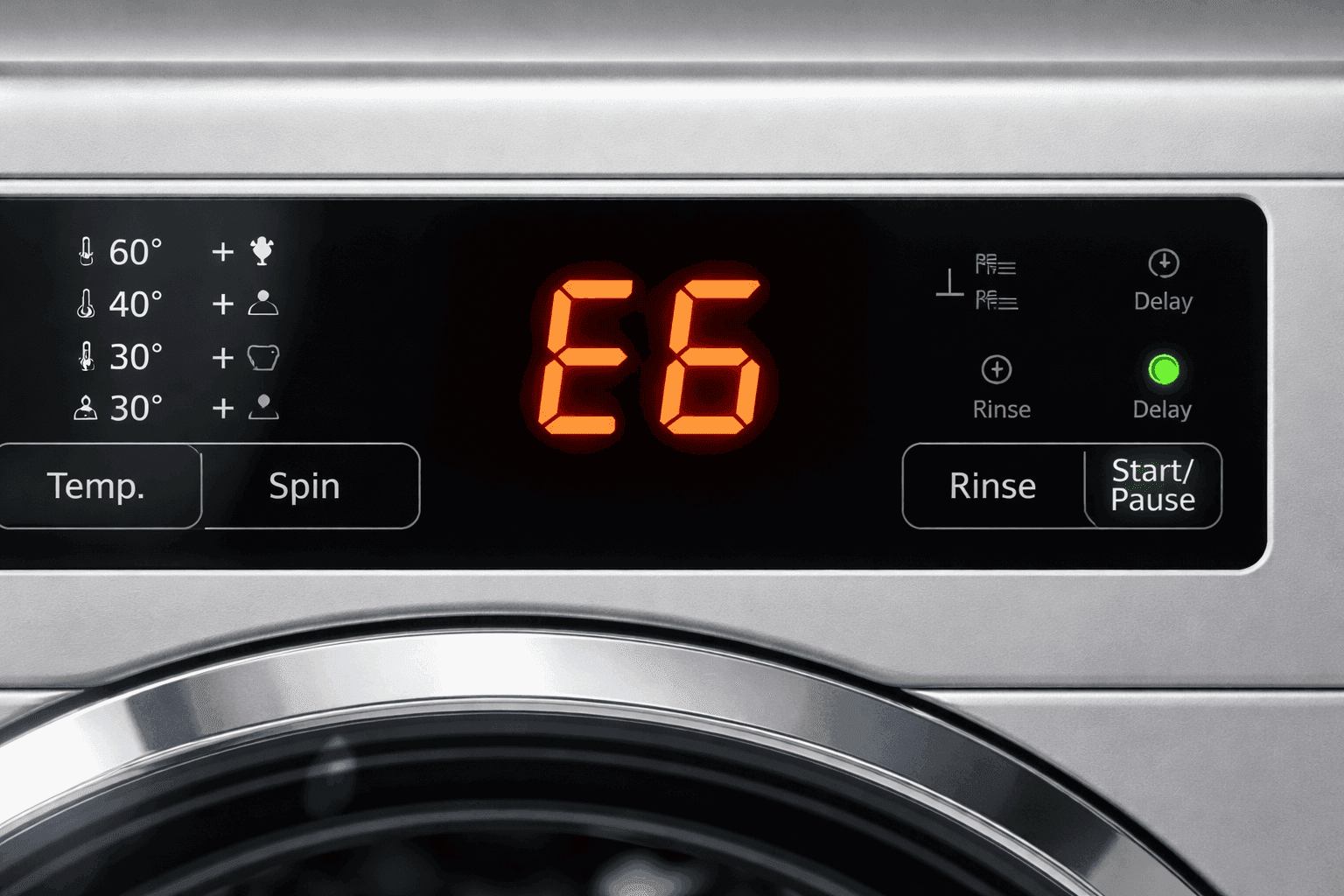
After making adjustments to your load, restarting properly ensures a clean and balanced wash without triggering error codes.
Re-Secure the Door or Lid
Close the door firmly until it clicks into place. A poorly sealed door triggers error codes or prevents the machine from starting at all. Make sure no clothing is caught in the door gasket.
Select the Right Cycle
If the original program was lost during the stop, choose a cycle appropriate for your fabric type. Adjust temperature and spin speed settings accordingly. For partially washed loads, use a short wash or rinse cycle to finish cleaning without redepositing dirt.
Monitor the First Few Minutes
Watch for proper water intake, agitation, and drainage. Listen for unusual noises like grinding or banging. Address any issues early to prevent bigger problems from developing.
Expert Note: Some smart machines automatically resume after power restoration. Disable this feature in your settings if it causes unintended restarts with unbalanced loads.
Troubleshoot When It Won’t Restart
If the machine remains dead or displays error codes after a stop, try these diagnostic steps before calling a technician.
Check Power Supply
Ensure the plug is inserted securely into the outlet. Test the outlet with another device to confirm it’s providing power. Check your circuit breaker to make it hasn’t tripped.
Decode Error Messages
Refer to your user manual for model-specific error codes. Common codes include E1 or F01 indicating a water inlet issue, E2 or F02 signaling a drain problem, and E4 or F04 meaning the door lock has failed.
Reset with a Power Cycle
Unplug the machine for five minutes, then reconnect it. This clears temporary glitches in digital boards. After waiting, try starting a new cycle.
Call a Professional If
The door won’t lock or unlock properly. The machine won’t drain or fill despite being connected to water. Error codes persist after resetting. These symptoms indicate internal component failures that require trained technicians.
Avoid DIY Repairs on control panels, door locks, or main circuit boards unless you have proper training. Incorrect handling can void warranties and cause further damage.
Frequently Asked Questions About Stopping a Washing Machine
Can I stop my washing machine mid-cycle safely?
Yes, you can stop a washing machine mid-cycle safely by using the pause button. This allows the machine to complete its safety sequences, including draining excess water before unlocking the door. Avoid forcing the door open or cutting power unless absolutely necessary.
How do I stop a washing machine without a pause button?
On non-digital machines, press Start/Pause to halt operation, then turn the dial to Rinse and Spin. This drains water and allows safe access. On older top-loaders with mechanical lids, simply lifting the lid stops agitation immediately.
Why won’t my washing machine door open after stopping it?
The door remains locked because the water level is still above the safety threshold. The machine automatically drains water before releasing the lock. Wait two to three minutes for the drain cycle to complete. If the problem persists, use the emergency door release or check for a drain issue.
What should I do if my washing machine is stuck and won’t respond?
Unplug the machine immediately to cut power. Use the emergency drain hose or pump filter to remove water if necessary. Locate the emergency door release tab or lever to open the door manually. Once empty, reset the machine by plugging it back in after five minutes.
Will stopping my washing machine damage the motor?
Occasional stops using the pause button won’t damage the motor. However, repeatedly cutting power during high-speed spin cycles can stress the motor and suspension system. Use the pause function instead of unplugging whenever possible to let the drum slow down naturally.
Key Takeaways for Stopping Your Washing Machine
Knowing how to stop washing machine operations safely empowers you to handle real-time laundry emergencies without causing damage or injury. Always start with the pause button to allow proper drainage sequences to complete. Use manual draining methods only when the machine is unresponsive or when you need immediate access. Remember to unplug before touching any internal components like filters or hoses to eliminate electrical hazards. For frozen or unresponsive machines, cut power first, then use the emergency door release mechanism. Finally, restart carefully by ensuring the door is sealed, selecting appropriate cycle settings, and monitoring the first few minutes of operation. With these procedures, you can manage any mid-cycle interruption quickly, safely, and effectively.



